
Features#
Cellestial is built on the layered principles of the grammar of graphics, inheriting the full composability of Lets-Plot. Below is an overview of key features with examples.
Tooltips#
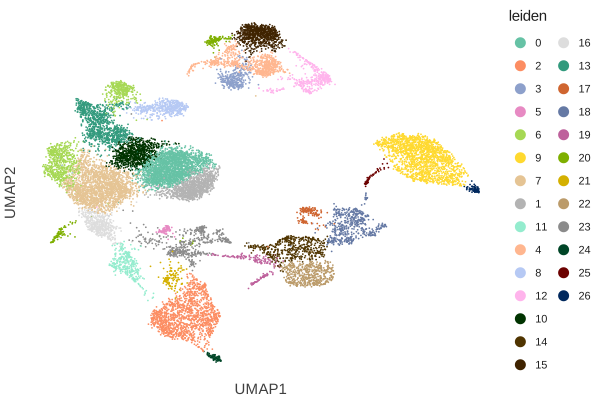
When hovering over data points, plots show contextual information as a tooltip.
Cellestial’s tooltips parameter controls what is displayed.
The parameter accepts Sequence of keys, a layer_tooltips() object.
Provide "none" to turn off tooltips entirely.
See more on layer_tooltips().
tooltips=None (the default) auto-generates tooltips.
cl.umap(data, "leiden")
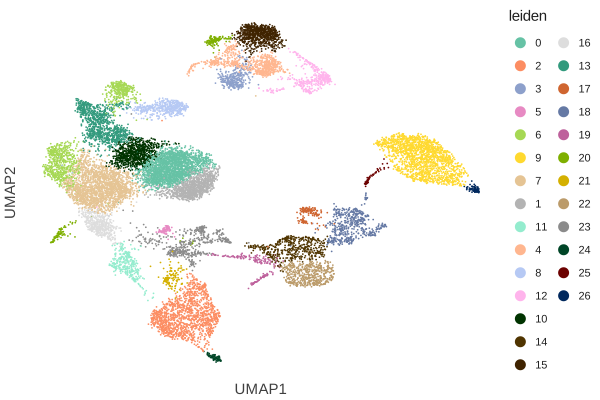
Pass tooltips="none" to turn off tooltips entirely.
cl.umap(data, "leiden", tooltips="none")
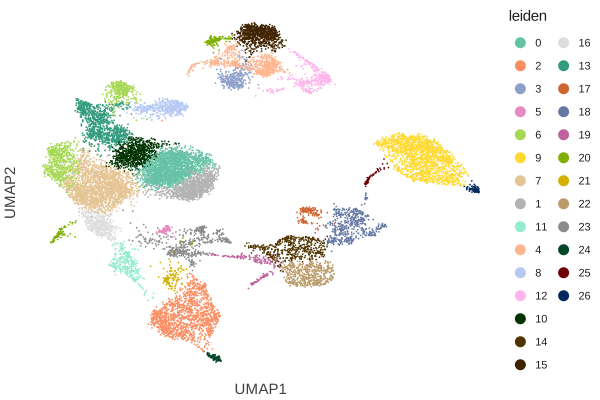
Pass a list of observation or variable column names to show exactly those fields.
cl.umap(data, "leiden", tooltips=["leiden", "cell_type_lvl1", "n_genes_by_counts"])
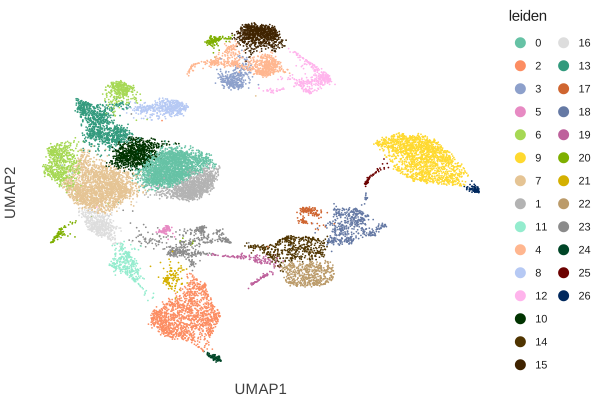
For full control, pass a layer_tooltips() object from Lets-Plot.
This lets you rename labels, format values, and add fixed lines.
cl.umap(
data,
"leiden",
tooltips=(
layer_tooltips(["leiden"])
.line("Cell type|@cell_type_lvl1")
.line("Genes|@n_genes_by_counts")
),
)
Interactivity#
Lets-Plot provides a toolbar (ggtb) that enables zooming and panning.
Cellestial exposes this through the interactive parameter on every
plot function, or you can append + ggtb() yourself for full control.
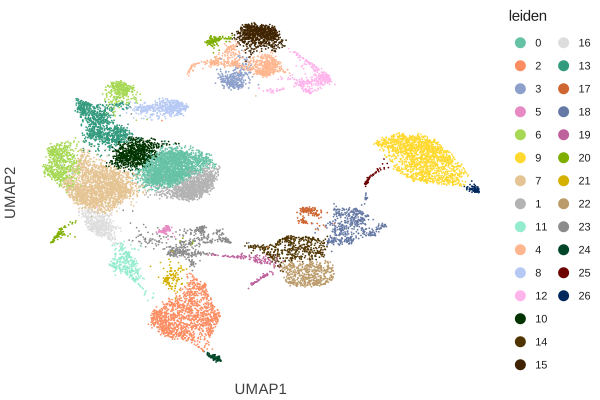
The simplest way is setting interactive=True.
cl.umap(data, "leiden", interactive=True)
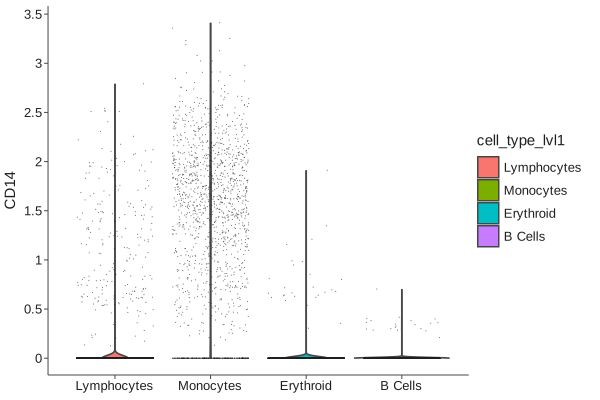
cl.violin(data, "CD14", fill="cell_type_lvl1", interactive=True)
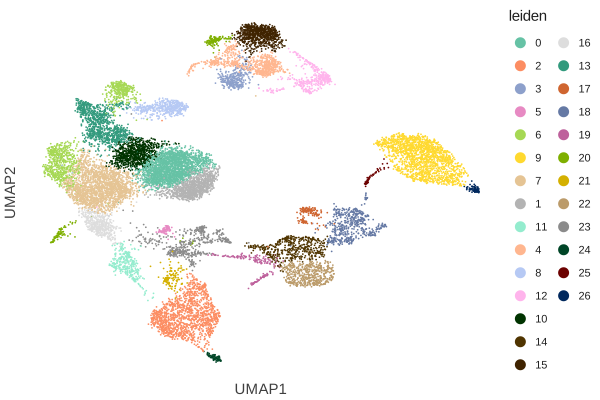
Appending + ggtb() yourself gives you the same result and keeps the call explicit,
which is consistent with Cellestial’s philosophy of modularity over abstraction.
cl.umap(data, "leiden") + ggtb()
This also works on grids.
cl.umaps(data, ["leiden", "cell_type_lvl1"]) + ggtb()
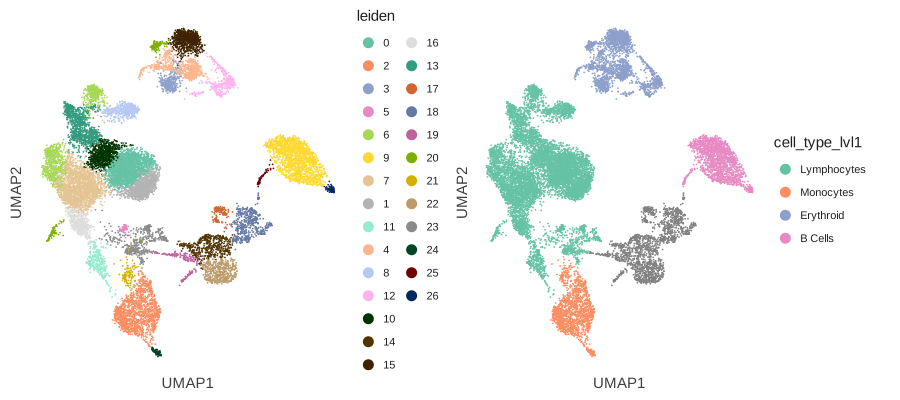
The toolbar appears above the plot and provides:
Zoom in / Zoom out - magnifier buttons or scroll wheel
Pan - click and drag to move around
Reset - return to the original view
Check Lets-Plot’s Interactivity demo.
Saving and Exporting#
Cellestial plots are standard Lets-Plot objects which support two approaches to exporting:
ggsave() function and ``to_*``methods.
umap = cl.umap(data, "cell_type_lvl1")
Exports plot to a file. The format is inferred from the file extension.
ggsave(umap, "umap.png", path="figures")
ggsave(umap, "umap.svg", path="figures")
ggsave(umap, "umap.pdf", path="figures")
ggsave(umap, "umap.html", path="figures")
Use w, h, unit, and dpi for explicit dimensions, or scale as a resolution multiplier.
umap = cl.umap(data, "cell_type_lvl1")
ggsave(umap, "umap.png", w=8, h=6, unit="in", dpi=300, path="figures")
ggsave(umap, "umap.png", scale=2, path="figures")
The to_* methods save directly to a path. They also accept w, h, and unit
for explicit dimensions, a more concise alternative to ggsave when you don’t
need the scale shorthand.
umap.to_png("figures/umap.png")
umap.to_svg("figures/umap.svg")
umap.to_pdf("figures/umap.pdf")
umap.to_html("figures/umap.html")
Set output dimensions explicitly:
umap.to_png("figures/umap.png", w=8, h=6, unit="in", dpi=300)
umap.to_svg("figures/umap.svg", w=200, h=150, unit="mm")
Check Lets-Plot’s Cookbook for exporting plots.
Facets#
Faceting splits a single plot into a grid of panels, one per category.
Cellestial plots are standard Lets-Plot PlotSpec objects, so facet_wrap()
and facet_grid() compose with any plot function using +.
Wraps panels for a single variable into a row or grid layout.
(
cl.umap(data, key="cell_type_lvl1")
+ facet_wrap("cell_type_lvl1")
)
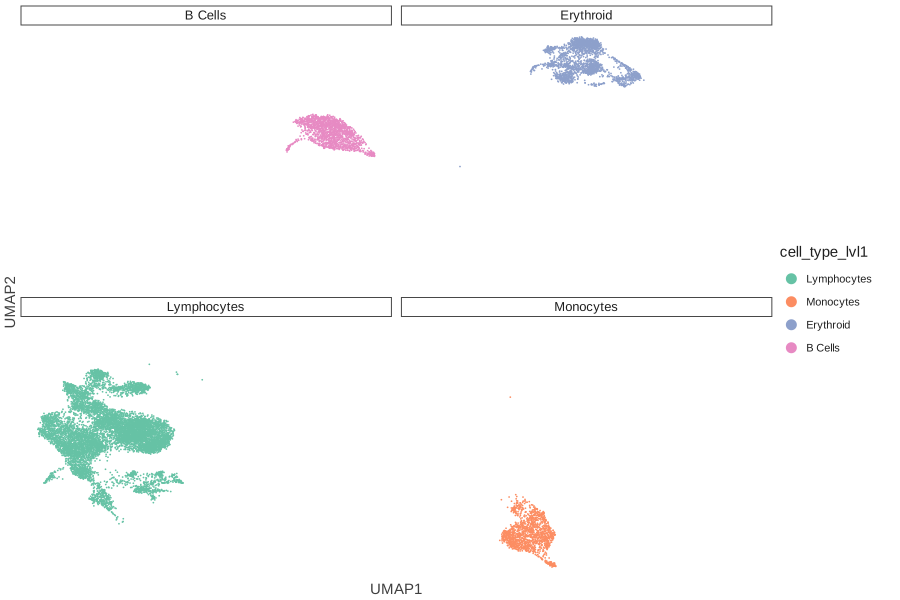
Arranges panels in a two-dimensional grid defined by row (y) and column (x) variables.
(
cl.umap(data, key="cell_type_lvl1")
+ facet_grid(x="sample",y="cell_type_lvl1")
)

Colors#
Any argument related to color accepts HEX, RGB, or named colors.
HEX - e.g.
"#1f1f1f"RGB/RGBA - e.g.
"rgb(0, 0, 255)","rgba(0, 0, 255, 0.5)".Named colors, see Lets-Plot Named Colors.
Built-in constants
cl.show_colors()
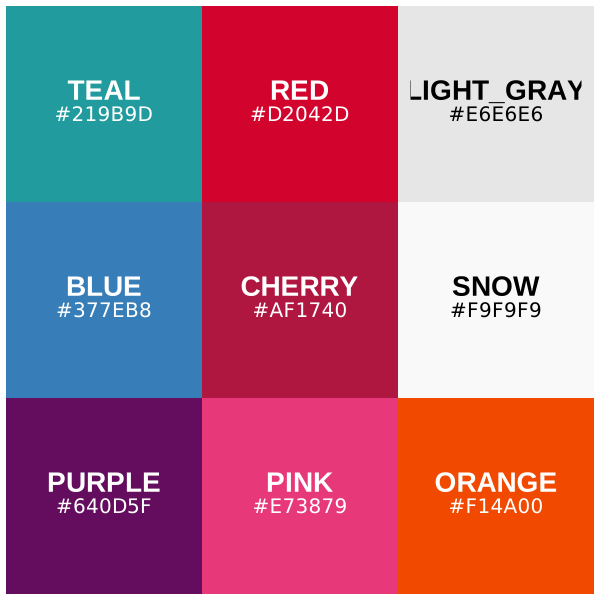
The constants are available directly on the cellestial namespace:
cl.TEAL, cl.BLUE, cl.RED, cl.CHERRY, cl.PURPLE,
cl.PINK, cl.ORANGE, cl.LIGHT_GRAY, cl.SNOW.
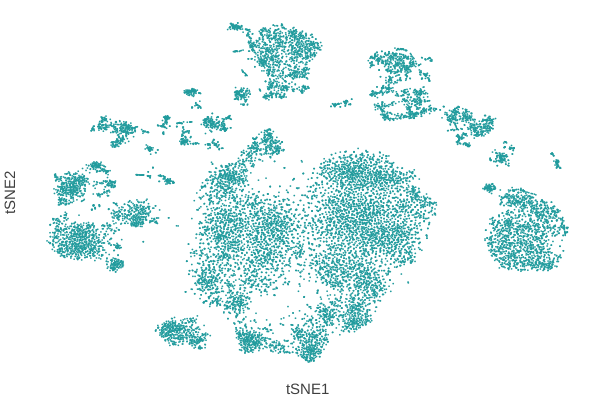
cl.tsne(data, key="leiden",color=cl.TEAL)
Hex, RGB, and named colors
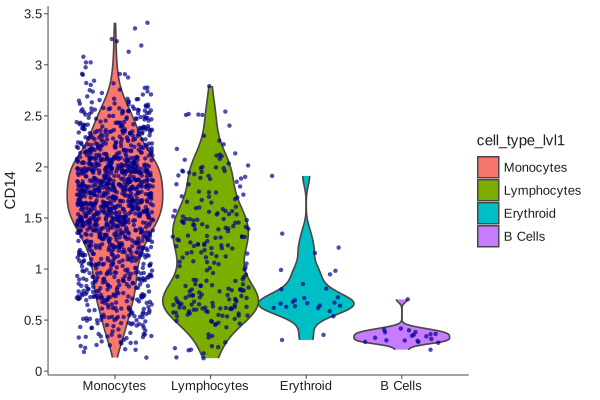
Any color Lets-Plot accepts works in cellestial parameters.
cl.violin(
data,
"CD14",
fill="cell_type_lvl1",
point_color="darkblue",
point_size=2,
threshold=0.1,
scale="width",
)
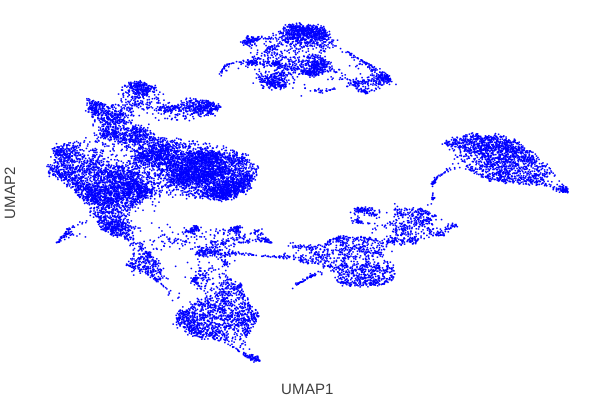
cl.umap(data, color="blue")
Continuous color gradients
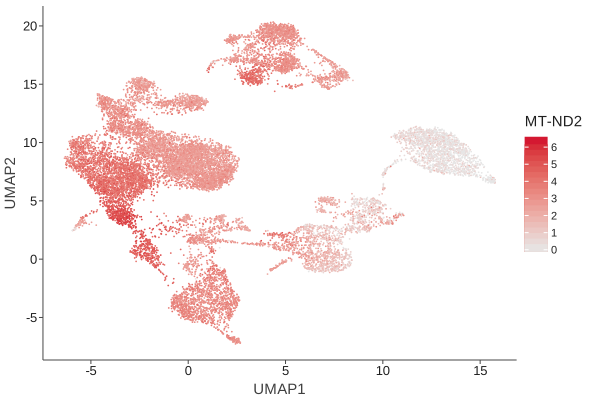
Expression plots and any continuous key use a gradient scale.
Use color_low, color_high, and optionally color_mid with mid_point.
cl.expression(
data,
key="MT-ND2",
color_low=cl.LIGHT_GRAY,
color_high=cl.RED
)
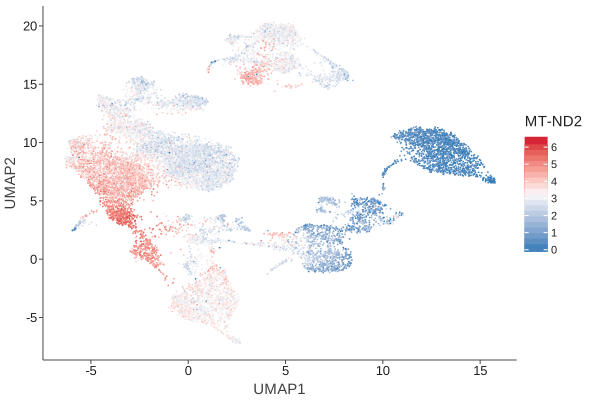
Three-color gradient with a midpoint:
cl.expression(
data,
key="MT-ND2",
color_low=cl.BLUE,
color_mid=cl.SNOW,
color_high=cl.RED,
mid_point="mid"
)
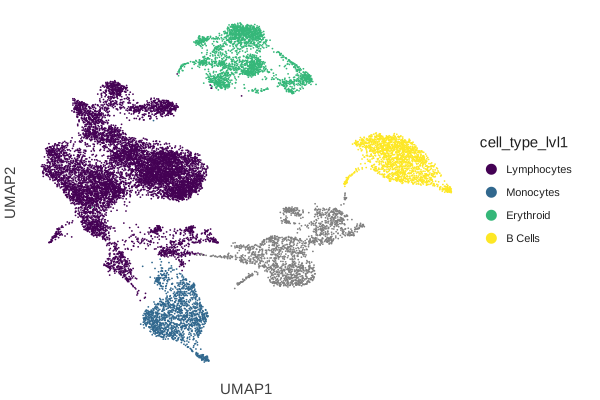
Overriding the discrete palette
For categorical keys, cellestial defaults to scale_color_brewer(palette="Set2").
Override it by adding a different color palette.
cl.umap(data, "cell_type_lvl1") + scale_color_viridis()
Layers#
Cellestial layers return a DeferredLayer that can be added to an existing plot with
the + operator. The receiving plot is handed to the layer at + time, so there is
no need to pass it explicitly — the layer introspects the plot’s data and aesthetics
itself.
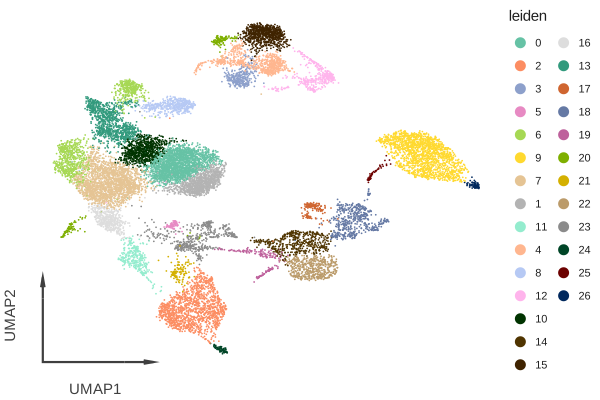
arrow_axis
Replaces the standard Cartesian axes with directional arrows.
umap = cl.umap(data, "leiden")
umap + cl.arrow_axis()
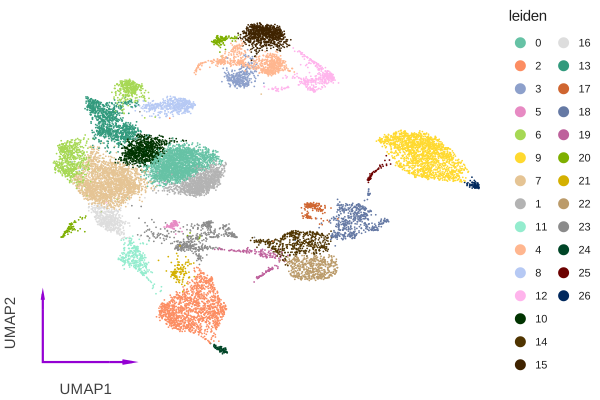
Adjust the arrow length, size, and color:
umap = cl.umap(data, "leiden")
umap + cl.arrow_axis(length=0.20, color="dark_violet")
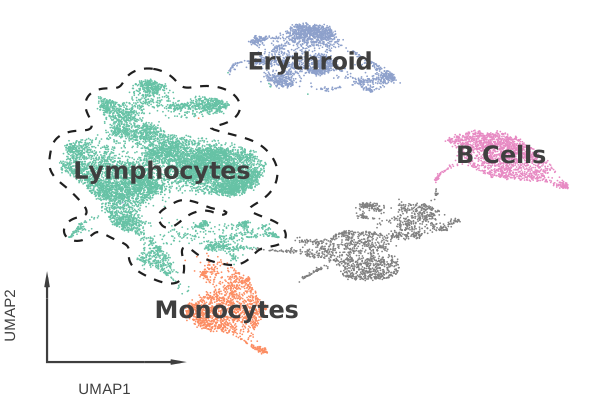
cluster_outlines
Draws density-based contour outlines around specific cluster groups.
Outline a single group:
umap = cl.umap(data, "cell_type_lvl1", axis_type="arrow", legend_ondata=True)
umap + cl.cluster_outlines(groups="Lymphocytes")
Outline multiple groups:
umap = cl.umap(data, "cell_type_lvl1", axis_type="arrow", legend_ondata=True)
umap + cl.cluster_outlines(groups=["Lymphocytes", "Monocytes"])
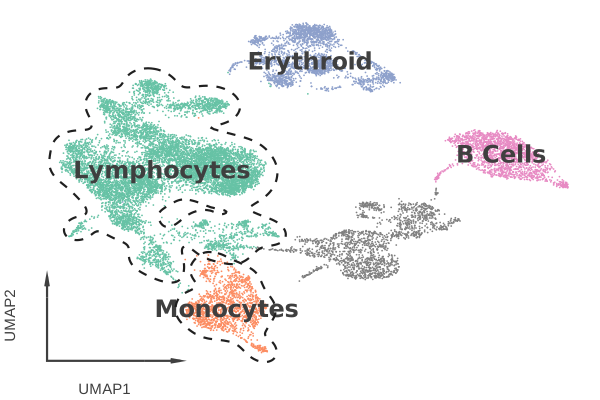
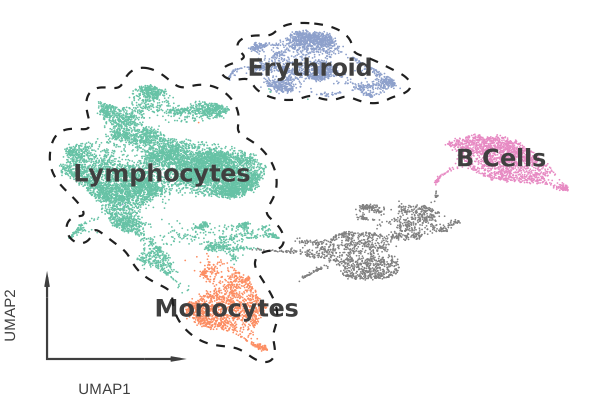
Merge multiple clusters into one combined outline with a nested list:
umap = cl.umap(data, "cell_type_lvl1", axis_type="arrow", legend_ondata=True)
umap + cl.cluster_outlines(groups=[["Lymphocytes", "Monocytes"], "Erythroid"])
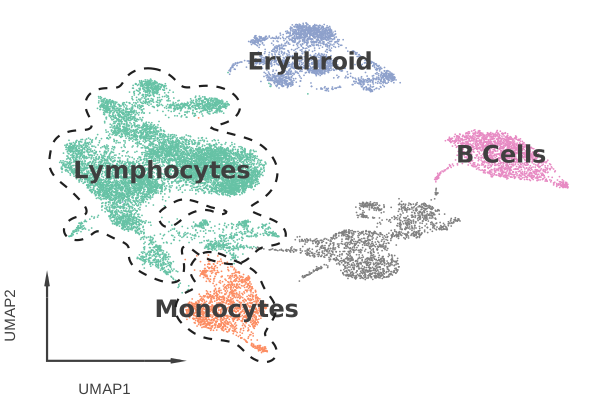
Layers can be combined:
umap = cl.umap(data, "cell_type_lvl1", legend_ondata=True)
umap + cl.cluster_outlines(groups=["Lymphocytes", "Monocytes"]) + cl.arrow_axis()
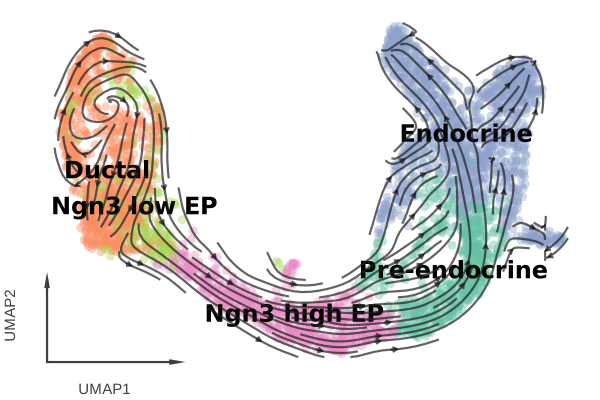
stream
Overlays an RNA velocity stream field on a dimensionality reduction plot.
Requires scVelo and an AnnData object
with pre-computed velocity columns.
velocity_data = cl.datasets.pancreas()
plot = cl.umap(
velocity_data,
key="clusters_coarse",
axis_type="arrow",
size=4,
alpha=0.4,
legend_ondata=True,
ondata_color="black",
)
plot + cl.stream()
Grids#
Plural plot functions return a SupPlotsSpec grid, one plot per key, laid out
in a configurable grid. For custom grids from arbitrary plots, use Lets-Plot’s
gggrid() directly.
Plural functions
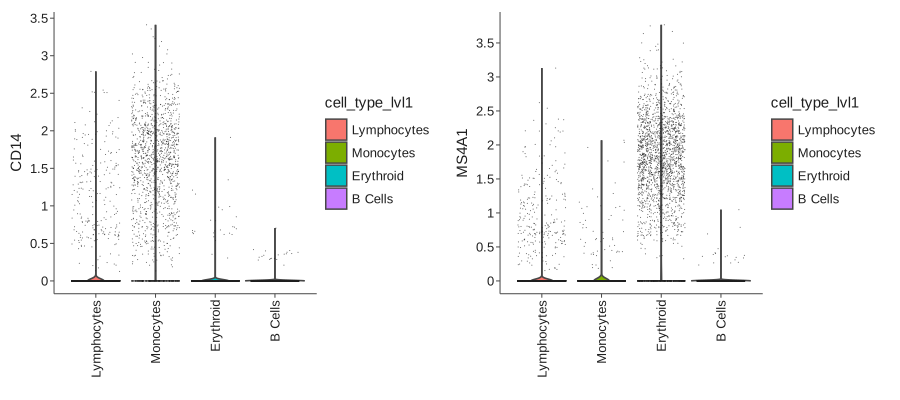
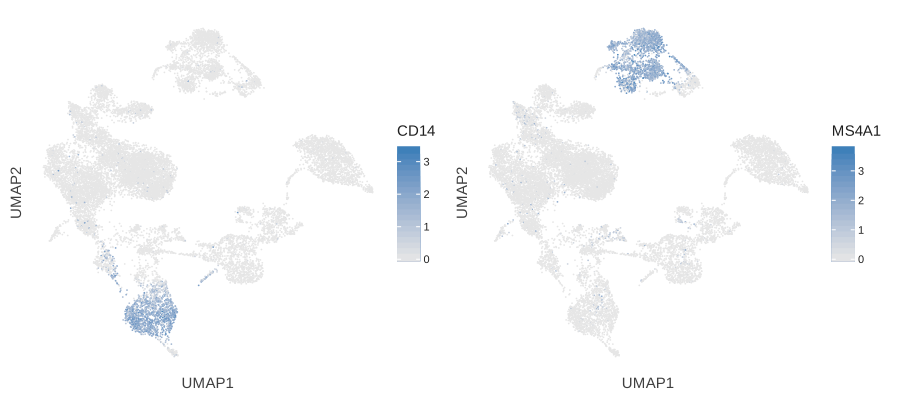
Every singular plot function has a plural counterpart that accepts Sequence[str]
and returns a SupPlotsSpec.
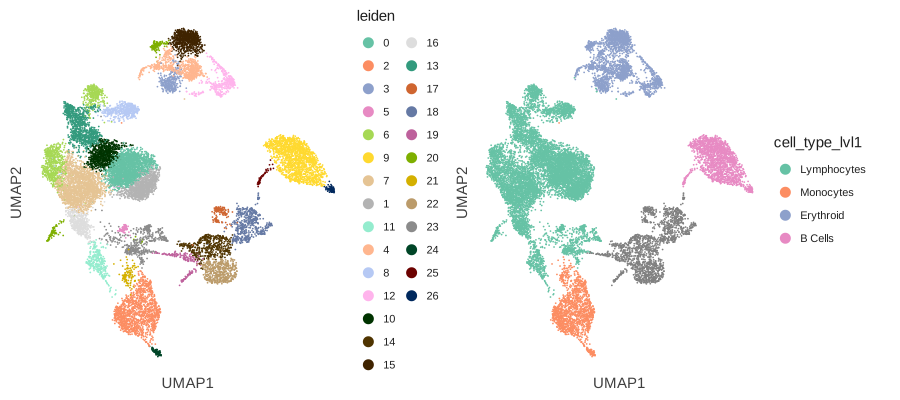
cl.umaps(data, ["leiden", "cell_type_lvl1"])
cl.violins(data, ["CD14", "MS4A1"], fill="cell_type_lvl1")
cl.expressions(data, ["CD14", "MS4A1"])
Columns and layout
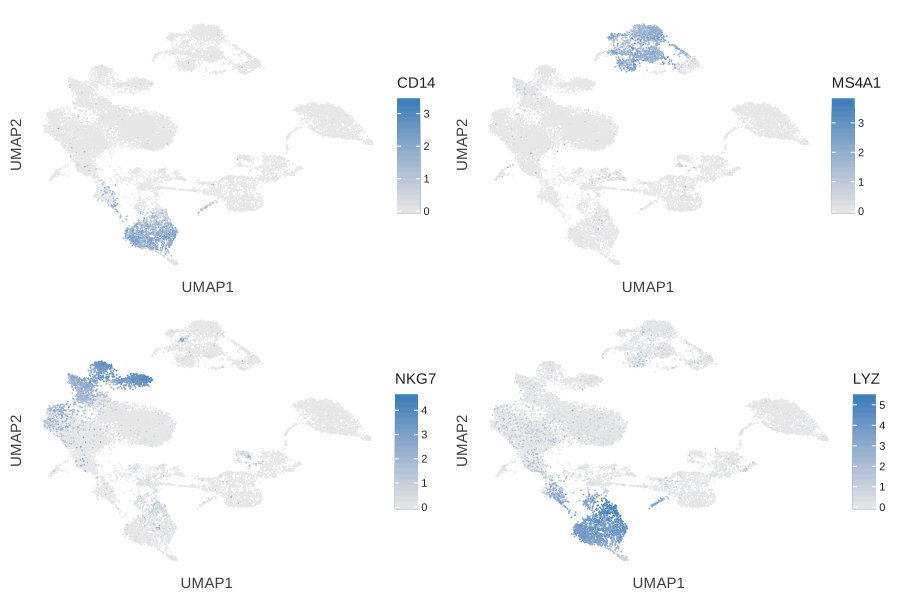
Control the number of columns with ncol.
cl.expressions(data, ["CD14", "MS4A1", "NKG7", "LYZ"], ncol=2)
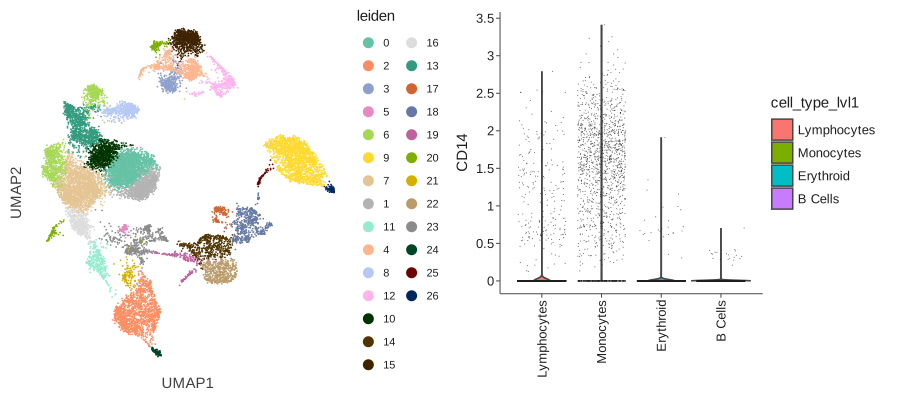
Custom grids with gggrid
Mix and match different plot types in a single grid using Lets-Plot’s gggrid().
p1 = cl.umap(data, "leiden")
p2 = cl.violin(data, "CD14",fill="cell_type_lvl1")
gggrid([p1, p2])
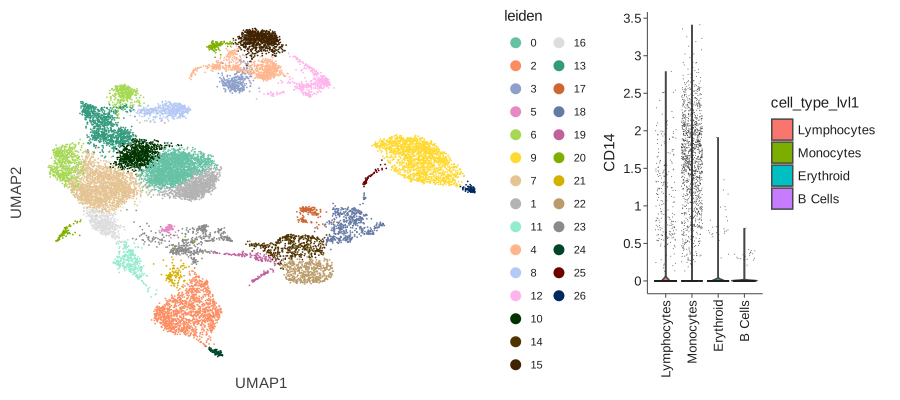
Set unequal column widths with widths:
gggrid([p1, p2], widths=[2, 1])
Mapping#
The mapping parameter accepts a aes() object
for further plot customization.
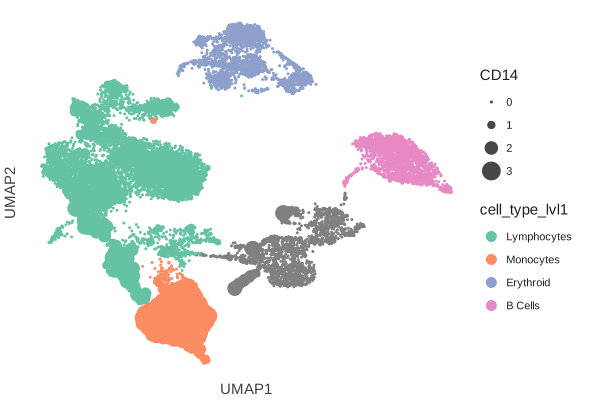
Map cell size to continuous values:
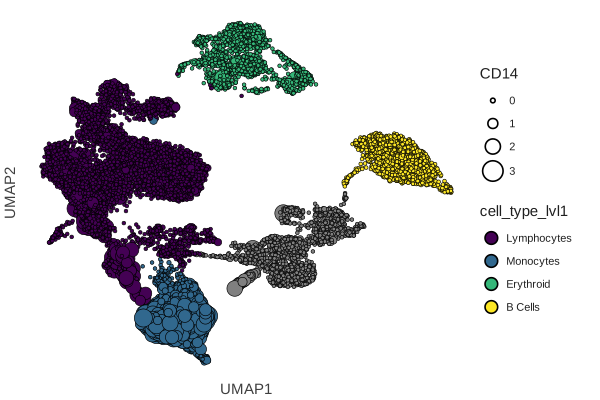
cl.umap(data, "cell_type_lvl1", mapping=aes(size="CD14"),variable_keys="CD14")
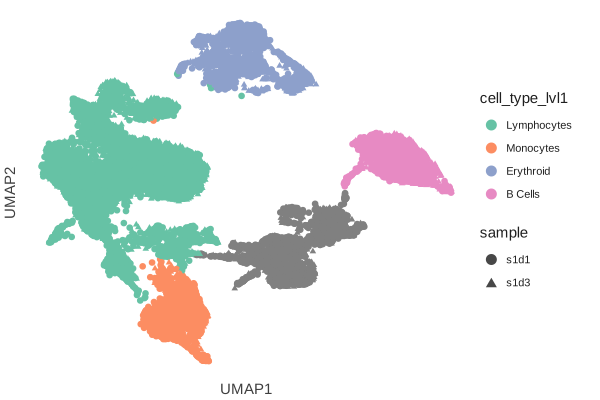
Map point shape to a categorical variable:
cl.umap(data, "cell_type_lvl1", mapping=aes(shape="sample"),size=3)
A plot’s aesthetics can be overwritten by providing a mapping.
(
cl.umap(
data,
mapping=aes(size="CD14", fill="cell_type_lvl1"),
shape=21,
variable_keys="CD14",
color="black",
stroke=0.3,
)
+ scale_fill_viridis()
)